



 GeelTech, Wakalat Street, Amman

What to protect, what to implement, and how to stay compliant without slowing operations in Jordan, Saudi Arabia & GCC
Network Security and Compliance Solutions: A Practical Guide for Jordan & GCC Businesses is designed for organizations that want practical protection—not vague “security talk.” Security is no longer an IT-only topic. It directly affects business continuity, brand trust, and even your ability to work with enterprise clients who require strong controls and audit readiness. At the same time, “compliance” is not a single checkbox—requirements vary by sector and by country, and most organizations need a clear, repeatable approach that can evolve as their data and systems grow.
Below is a practical checklist you can use to plan, implement, and maintain security and compliance in a way that supports daily operations.
1) Start with a clear scope and risk priorities
Before buying tools, define what you’re protecting and why.
-
Business-critical systems
-
Customer databases
-
Payment-related systems (if any)
-
Internal admin dashboards and shared drives
-
Email and identity systems
-
-
Data types
-
Personal data (customers, employees)
-
Financial records
-
Contracts and legal documents
-
Health or education-related data (if applicable)
-
-
Risk questions
-
What would cause the biggest damage: data leak, downtime, fraud, or reputational harm?
-
Where is your “weakest link”: endpoints, passwords, email, vendors, or poorly segmented networks?
-
A simple risk ranking helps you prioritize. Not every company needs the same depth of controls on day one.
2) Core network security controls (the must-have foundation)
Think of network security as layers. If one layer fails, the next one reduces the blast radius.
Firewalls and network segmentation
Firewalls control traffic, but segmentation limits how far an attacker can move internally.
-
Separate networks for:
-
Staff devices
-
Servers and databases
-
Guest Wi-Fi
-
Payment or high-sensitivity systems
-
-
Apply the principle: allow what you need, block everything else
Segmentation is one of the highest-impact steps for reducing major incidents.
Intrusion detection and prevention
You need visibility into suspicious behavior.
-
Detect abnormal traffic patterns
-
Flag unusual authentication attempts
-
Identify known attack signatures
-
Trigger alerts for investigation
Even basic monitoring is better than “no signal” until something breaks.
Secure remote access
Many businesses rely on remote access and cloud dashboards.
-
Use secure remote access with strong authentication
-
Restrict admin access to specific roles
-
Require multi-factor authentication for privileged accounts
-
Avoid shared admin accounts; they destroy accountability
Endpoint protection (because the network is only as safe as devices)
Most incidents start from an endpoint: a laptop, phone, or an employee click.
-
Endpoint security on laptops/desktops
-
Patch management for OS and key apps
-
Device encryption where possible
-
Mobile device controls for company-managed phones
Identity and access management
This is often the biggest security gap in growing businesses.
-
Role-based access: employees should only access what they need
-
Join/leave process: remove access immediately when people leave
-
Password manager policy (especially for teams)
-
MFA for email, admin dashboards, cloud consoles
A strong identity setup starts with secure email and controlled access, especially as teams grow across Jordan & GCC.
3) Encryption and data protection (in transit + at rest)
Encryption is not just for “big banks.” It’s a baseline expectation.
-
In transit: encrypt network communications (e.g., web traffic, API calls)
-
At rest: encrypt stored sensitive files and databases where possible
-
Keys and secrets
-
Store credentials securely
-
Rotate keys periodically
-
Avoid embedding secrets inside code repositories
-
A big part of compliance is proving you protect data—not only promising you do.
4) Backups, resilience, and recovery (security includes availability)
Security is not only confidentiality. Availability matters too.
-
Automated backups (not manual)
-
Multiple backup versions (so ransomware doesn’t wipe you out)
-
Offsite or logically separated backups
-
Tested restore process (many companies back up but never test restoring)
A tested recovery plan often makes the difference between a bad day and a business-ending incident.
5) Monitoring and incident response (what happens when something goes wrong?)
You don’t want to design your response while the incident is happening.
Monitoring basics
-
Centralize logs for critical systems
-
Track authentication events and unusual access
-
Monitor admin actions on dashboards and databases
-
Alerting rules for high-risk events
If you want practical automation for alerts, anomaly detection, and safe workflows, see AI use cases for Jordanian businesses.
Incident response plan (keep it simple)
-
Who is responsible for decision-making?
-
How do you isolate systems quickly?
-
How do you communicate internally and externally?
-
What evidence do you preserve for investigation?
-
How do you recover and validate the fix?
Even a one-page plan is better than none.
6) Compliance: what it really means in practice
Compliance is often misunderstood. It’s not about paperwork only. It’s about demonstrating that your organization has repeatable controls.
Common compliance building blocks
-
Policies: acceptable use, access control, password rules, data handling
-
Asset inventory: what systems exist, who owns them, where they are hosted
-
Data classification: what is sensitive vs non-sensitive
-
Vendor and third-party risk: what data vendors touch and how you control it
-
Change management: how updates are approved and documented
-
Training: staff awareness reduces phishing and social engineering risk
-
Audit readiness: ability to show evidence quickly
If your company is expanding in Jordan, Saudi Arabia, and GCC markets, the “evidence” side becomes important—especially for B2B deals.
For companies running ERP, HR, and operations systems, audit readiness becomes easier when workflows and reporting are structured, not scattered.
7) Sector examples: why requirements differ
You don’t need to memorize standards, but you should understand why some sectors are stricter:
-
Finance: fraud risk, transaction integrity, audit trails
-
Healthcare: sensitive personal records and privacy expectations
-
Education: student data protection
-
E-commerce: payment security, account protection, anti-fraud controls
The right approach: align controls to your sector and to the countries you operate in. Avoid assuming one country’s rules apply everywhere.
8) A realistic roadmap (30 days / 90 days / 6–12 months)
If you’re starting from scratch, here’s a practical sequence.
First 30 days: quick wins
-
MFA for email and admin tools
-
Remove shared accounts and enforce role-based access
-
Patch critical systems and endpoints
-
Set up backups + test a restore
-
Segment guest Wi-Fi away from internal systems
First 90 days: stabilization
-
Basic centralized logging and alerting
-
Document core policies (short and usable)
-
Implement endpoint management (patching + encryption)
-
Review vendor access and reduce unnecessary permissions
-
Create a simple incident response playbook
6–12 months: maturity
-
Regular security reviews and penetration testing (as needed)
-
Audit-ready evidence collection
-
More advanced monitoring
-
Periodic access reviews (who still needs what?)
-
Continuous improvement tied to metrics
For multi-team environments, a clear delivery approach makes governance and documentation easier to sustain over time.
9) Common mistakes that weaken security and compliance
-
Buying tools before fixing access and backups
-
Relying on a single admin account
-
No separation between production and testing
-
Over-permissioning users “to save time”
-
No restore testing (backups that can’t restore are not backups)
-
Treating compliance as a once-a-year project rather than an ongoing routine
10) What to measure (so security becomes manageable)
Good metrics are practical—not vanity numbers.
-
Time to detect incidents
-
Time to recover services
-
Patch compliance rate (how many systems are up to date)
-
Number of high-risk access accounts (and how often reviewed)
-
Backup restore success rate
-
Phishing awareness indicators (optional)
How to apply the steps in practice?
-
Identify your top 3 critical systems and sensitive data types.
-
Implement MFA + role-based access + backups first.
-
Segment your network and lock down admin access.
-
Add monitoring for logins and critical actions.
-
Document short policies and train staff on the basics.
-
Review and improve monthly with simple metrics.
Looking for a reliable technical partner? Custom Software Development in Jordan & GCC
Related reading : → Benefits of ERP Solutions | Computer Systems Analyst
Our News

Yalla Tahadi App: A Unique Jordanian Experience of Fun and Brain Challenges
20.May.2025
Accounting & Auditing Website Guide in Jordan: What Your Firm Needs to Win Trust & Leads
14.Apr.2025
Travel & Tourism Booking Website Guide (Jordan): What You Actually Need to Get Bookings
14.Apr.2025
Construction Company Website Guide in Jordan: What to Include to Win More Projects
13.Apr.2025
Training Center & Private School Website Guide in Jordan: What to Include for Trust and Enrollments
13.Apr.2025
Engineering Office Website Guide in Jordan: What to Include for Trust and Project Leads
13.Apr.2025
Beauty Salon Website Guide in Jordan: What to Include for Bookings and Trust
13.Apr.2025
Lawyer Website Guide in Jordan & GCC: What to Include for Trust and Consultations
11.Apr.2025
Geel Tech’s Methodology for Managing Large-Scale Tech Projects in Jordan & GCC
05.Apr.2025
How to Choose a Domain + Set Up Professional Email in Jordan
20.Mar.2025
How to Create a Google Business Profile in Jordan: A Step-by-Step Guide for Better Visibility
20.Mar.2025
Payment Gateway Selection Guide in Jordan & GCC: Requirements, Fees, and Integration Steps
19.Mar.2025
Geel Tech Prepares for Expansion into Saudi Arabia: A Strategic Step Towards a Tech-Driven Future
17.Mar.2025
The Future of Jobs: Which Roles Are Changing Fast and How to Adapt
15.Mar.2025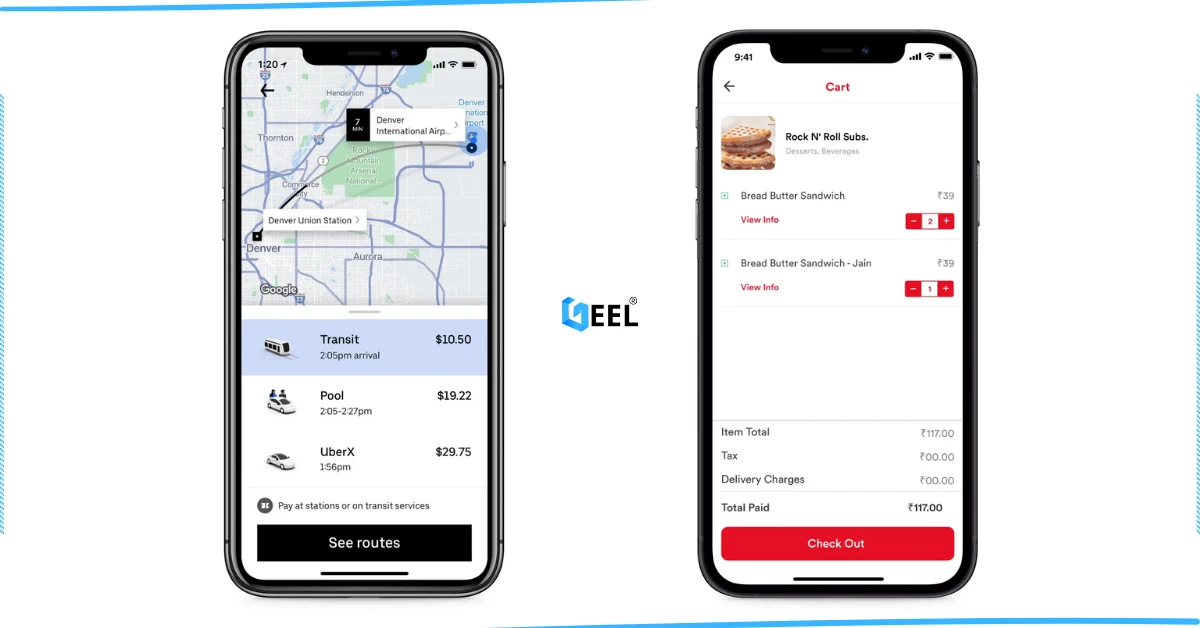
How to Create an App Similar to Uber or Talabat: A Practical Guide
01.Mar.2025
AI Use Cases for Jordanian Businesses (Automation, Analytics, Security) + Implementation Checklist
27.Feb.2025
Programming for Beginners in Jordan: A Comprehensive Guide to Roadmaps, Careers, and Future-Proof Benefits
04.Nov.2024
PHP Development in Jordan & GCC: Why It Still Powers Modern Websites and Business Systems
04.Nov.2024
How to Create a Restaurant Ordering System in Jordan & GCC (QR Menu + Online Payments)
04.Nov.2024
3 Types of Customer Relationship Management Software in Jordan & GCC
04.Nov.2024
Benefits of ERP Solutions in Jordan & GCC: A Practical Guide
04.Nov.2024
Wireless Network Infrastructure Specialist: Positions and Obligations
04.Nov.2024
Mobile App Developers in Jordan: What They Do and How to Work With Them
03.Nov.2024
How AI Is Transforming the World: A Practical Guide
25.Sep.2024
Artificial Intelligence and the Future of Humans: Opportunities, Challenges, and Impact
25.Sep.2024
3 Ways Artificial Intelligence Is Already Changing the World
25.Sep.2024
How to Create a Website for Free (and When It Stops Being Free)
25.Sep.2024
Mobile Development in Jordan & GCC: Ecosystem, Telecom Evolution, and App Launch Checklist
25.Sep.2024
Computer Science Technology: Definition, Key Fields, and Real-World Uses
25.Sep.2024
Computer Systems Analyst: Role, Skills, and Deliverables
25.Sep.2024
Computer Information Systems Administration (MIS): Practical Guide in Jordan & GCC
25.Sep.2024
Design of Gaming Applications: A Practical Guide in Jordan & GCC
17.Sep.2024
Educational Electronic Game Design: A Practical Guide in Jordan & GCC
05.Sep.2024
Mobile App Development Roadmap 2026: 9-Step Plan to Build and Launch an App
05.Sep.2024
Best Programming Language for E-commerce Websites (2026 Guide)
05.Sep.2024
Website Redesign Examples: What Changes and Why It Works
05.Sep.2024
Mobile-Friendly Website Design: SEO Impact, and Best Practices
28.Aug.2024
Custom Mobile App Development in Jordan & GCC: Business Benefits Checklist
27.Aug.2024
What Leading Mobile App Development Companies Aim to Achieve
24.Aug.2024
The 5 Most Important Processes Performed by Mobile App Development Experts
11.Aug.2024