



 GeelTech, Wakalat Street, Amman

Computer Information Systems Administration (MIS): Practical Guide in Jordan & GCC explains what MIS administration really is inside modern organizations, what it’s responsible for, the deliverables you should expect, and how to implement business systems (ERP/CRM, dashboards, databases, networks, and integrations) without creating tool chaos.
What is Computer Information Systems Administration (MIS)?
Computer Information Systems Administration—often referred to as Management Information Systems (MIS)—is the function that combines technology, business operations, and management to run and improve how information flows through an organization. MIS administration focuses on:
-
making systems support real workflows (HR, finance, sales, operations)
-
ensuring data is reliable and consistent
-
reducing manual work through automation and integration
-
keeping systems secure, maintainable, and well-documented
What MIS administration does (day-to-day responsibilities)
Planning and governance
-
Define how systems will be used across departments
-
Set rules for roles, permissions, approvals, and data ownership
-
Maintain standards for tools, templates, and reporting KPIs
Systems development and continuous improvement
-
Translate business needs into requirements and workflows
-
Improve or redesign processes that cause duplication and delays
-
Manage change requests and ensure scope stays controlled
Data and database management
-
Design and maintain databases and key data structures
-
Improve data quality (deduplication, normalization, validation rules)
-
Build dashboards and reports that leadership can trust
Infrastructure and network readiness (where MIS includes IT operations)
-
Provide/maintain hardware, software, and internal connectivity
-
Ensure backups, recovery readiness, and system availability
-
Support users with technical troubleshooting and training
Integrations and automation
-
Connect tools so data moves once (CRM ↔ accounting, HR ↔ payroll, website forms ↔ CRM, etc.)
-
Reduce repeated work using APIs, workflows, and automation rules
-
Standardize multi-branch operations and consolidated reporting
What MIS administration is not
-
It is not “just programming”
-
It is not only “IT support”
-
It is not only “reporting”
MIS is broader: it’s process + data + systems + governance working together.
Terms of reference (what an MIS department is accountable for)
A strong MIS function typically owns or coordinates:
-
System usage plans and adoption monitoring
-
Requirements documentation and workflow mapping
-
Database design, governance, and reporting outputs
-
Hardware/software/network readiness for business systems
-
Helpdesk support and user enablement for core systems
-
Website/portal administration (when the org runs internal/external portals)
-
Public-sector style programs (where applicable): registries, open data, integrated datasets, and e-government enablement
Key deliverables (what you should expect from MIS)
These deliverables make MIS “real” and measurable:
Documentation and process deliverables
-
Process maps (as-is / to-be)
-
Requirements (BRD/SRS or user stories + acceptance criteria)
-
Roles/permissions matrix
-
Change request log and versioned decisions
Data deliverables
-
Data dictionary (field definitions, formats, owners)
-
Database structure notes (entities + relationships)
-
Data quality rules (validation, deduplication)
Reporting deliverables
-
KPI definitions (one shared meaning across the company)
-
Dashboards and scheduled reports
-
Reconciliation routines (matching totals between systems)
Operations deliverables
-
Asset inventory (devices, systems, licenses, versions)
-
Backup/recovery plan and test results
-
Monitoring and incident logs (uptime, failures, security events)
Components of an information system (MIS view)
MIS administration typically manages the system as a whole:
Technology
-
Hardware (servers, endpoints, POS devices where used)
-
Software (ERP/CRM, portals, internal tools, admin panels)
-
Networks (Wi-Fi/LAN/WAN, VPN, secure access)
Data
-
Databases (structured records)
-
Documents/logs (transactions, audit trails, policies)
-
Reporting datasets (KPI-ready views)
People and processes
-
Users and roles (who can do what)
-
Workflows and approvals (how work moves)
-
Training and adoption (how teams actually use the system)
Where MIS connects directly to real business systems (closer to your services)
MIS administration often becomes the “owner function” for systems like:
-
ERP/HR systems (requests, approvals, payroll integration, reporting)
-
CRM and customer operations (leads, tickets, history, automation)
-
Admin dashboards (management oversight, KPIs, audit trails)
-
Integration projects (APIs between tools and departments)
-
Data governance programs (single source of truth, master data)
Common challenges (and how to handle them)
Integrating too many tools at once
Problem: Office tools + accounting + CRM + project tools + WhatsApp + spreadsheets → duplication and mismatched reports.
Fix: define one source of truth per data type, integrate what matters, standardize input rules.
Lack of strategy
Problem: systems grow without a roadmap.
Fix: build a simple MIS roadmap: priorities, KPIs, phases, ownership.
Keeping up with change
Problem: business changes → systems must change without breaking operations.
Fix: change control: request → impact → approval → rollout → training → review.
Adoption failure
Problem: teams keep working outside the system, so reports become wrong.
Fix: automate data capture, simplify daily flows, and assign accountability for usage.
Implementation checklist (step-by-step)
Step 1: Define scope and ownership
-
Which departments are in scope now vs later?
-
Who owns data quality per module?
-
Who approves workflow changes?
Step 2: Map workflows before choosing tools
-
Document current steps and bottlenecks
-
Define “to-be” workflows and approval chains
-
List exceptions (refunds, cancellations, escalations)
Step 3: Define data and reporting early
-
Core entities (customers, vendors, items, employees, orders…)
-
KPI definitions and reporting cadence
-
Permissions and audit requirements
Step 4: Decide build vs buy vs hybrid
-
Off-the-shelf where processes are standard
-
Custom modules where workflows are unique or heavily integrated
-
Hybrid when you need both
Step 5: Integrate and automate
-
Identify critical integrations first (forms → CRM, CRM → accounting, ERP → reporting)
-
Design API and automation rules
-
Add logging and reconciliation checks
Step 6: Test and train
-
UAT scenarios for real workflows
-
Train on daily tasks (not feature tours)
-
Prepare short SOPs for common actions and issues
Step 7: Monitor and improve
-
Track adoption, data quality, and recurring incidents
-
Review KPIs monthly
-
Plan quarterly improvement cycles
Common mistakes to avoid
-
Building reports before fixing data quality
-
Launching too many modules in phase 1
-
No single owner for CRM/ERP data hygiene
-
Weak permissions (everyone can see/edit everything)
-
No backups or no recovery drills
-
Treating adoption as optional (it becomes a spreadsheet world again)
FAQ
Is MIS the same as IT support?
Not exactly. IT support is part of operations. MIS is broader: workflows, data governance, systems integration, reporting, and business enablement.
Does MIS administration require coding?
Not always. But technical fluency helps a lot (databases, APIs, integrations, security basics). Coding may be optional depending on the organization.
When do companies need MIS administration most?
When departments grow, tools multiply, reporting becomes inconsistent, or operations require approvals, audit trails, and multi-branch visibility.
Can MIS replace ERP or CRM?
MIS doesn’t “replace” them. MIS administration manages and aligns systems like ERP/CRM so they work together and match real workflows.
Related internal link
Our News

Yalla Tahadi App: A Unique Jordanian Experience of Fun and Brain Challenges
20.May.2025
Accounting & Auditing Website Guide in Jordan: What Your Firm Needs to Win Trust & Leads
14.Apr.2025
Travel & Tourism Booking Website Guide (Jordan): What You Actually Need to Get Bookings
14.Apr.2025
Construction Company Website Guide in Jordan: What to Include to Win More Projects
13.Apr.2025
Training Center & Private School Website Guide in Jordan: What to Include for Trust and Enrollments
13.Apr.2025
Engineering Office Website Guide in Jordan: What to Include for Trust and Project Leads
13.Apr.2025
Beauty Salon Website Guide in Jordan: What to Include for Bookings and Trust
13.Apr.2025
Lawyer Website Guide in Jordan & GCC: What to Include for Trust and Consultations
11.Apr.2025
Geel Tech’s Methodology for Managing Large-Scale Tech Projects in Jordan & GCC
05.Apr.2025
How to Choose a Domain + Set Up Professional Email in Jordan
20.Mar.2025
How to Create a Google Business Profile in Jordan: A Step-by-Step Guide for Better Visibility
20.Mar.2025
Payment Gateway Selection Guide in Jordan & GCC: Requirements, Fees, and Integration Steps
19.Mar.2025
Geel Tech Prepares for Expansion into Saudi Arabia: A Strategic Step Towards a Tech-Driven Future
17.Mar.2025
The Future of Jobs: Which Roles Are Changing Fast and How to Adapt
15.Mar.2025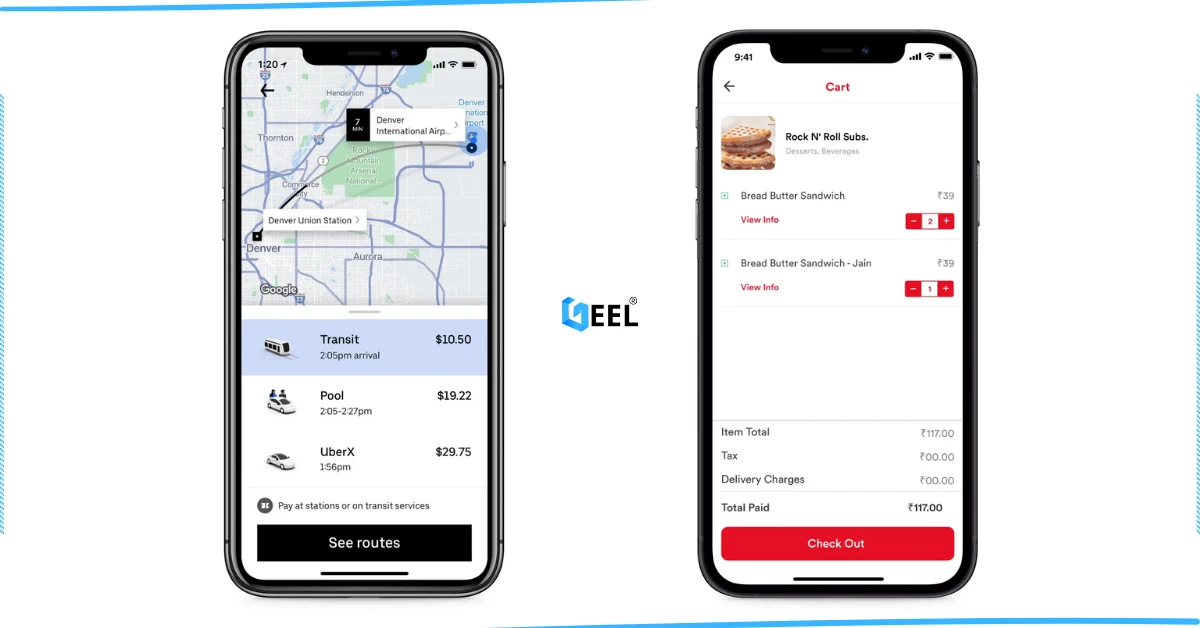
How to Create an App Similar to Uber or Talabat: A Practical Guide
01.Mar.2025
AI Use Cases for Jordanian Businesses (Automation, Analytics, Security) + Implementation Checklist
27.Feb.2025
Programming for Beginners in Jordan: A Comprehensive Guide to Roadmaps, Careers, and Future-Proof Benefits
04.Nov.2024
PHP Development in Jordan & GCC: Why It Still Powers Modern Websites and Business Systems
04.Nov.2024
Network Security and Compliance Solutions: A Practical Guide for Jordan & GCC Businesses
04.Nov.2024
How to Create a Restaurant Ordering System in Jordan & GCC (QR Menu + Online Payments)
04.Nov.2024
3 Types of Customer Relationship Management Software in Jordan & GCC
04.Nov.2024
Benefits of ERP Solutions in Jordan & GCC: A Practical Guide
04.Nov.2024
Wireless Network Infrastructure Specialist: Positions and Obligations
04.Nov.2024
Mobile App Developers in Jordan: What They Do and How to Work With Them
03.Nov.2024
How AI Is Transforming the World: A Practical Guide
25.Sep.2024
Artificial Intelligence and the Future of Humans: Opportunities, Challenges, and Impact
25.Sep.2024
3 Ways Artificial Intelligence Is Already Changing the World
25.Sep.2024
How to Create a Website for Free (and When It Stops Being Free)
25.Sep.2024
Mobile Development in Jordan & GCC: Ecosystem, Telecom Evolution, and App Launch Checklist
25.Sep.2024
Computer Science Technology: Definition, Key Fields, and Real-World Uses
25.Sep.2024
Computer Systems Analyst: Role, Skills, and Deliverables
25.Sep.2024
Design of Gaming Applications: A Practical Guide in Jordan & GCC
17.Sep.2024
Educational Electronic Game Design: A Practical Guide in Jordan & GCC
05.Sep.2024
Mobile App Development Roadmap 2026: 9-Step Plan to Build and Launch an App
05.Sep.2024
Best Programming Language for E-commerce Websites (2026 Guide)
05.Sep.2024
Website Redesign Examples: What Changes and Why It Works
05.Sep.2024
Mobile-Friendly Website Design: SEO Impact, and Best Practices
28.Aug.2024
Custom Mobile App Development in Jordan & GCC: Business Benefits Checklist
27.Aug.2024
What Leading Mobile App Development Companies Aim to Achieve
24.Aug.2024
The 5 Most Important Processes Performed by Mobile App Development Experts
11.Aug.2024