


 GeelTech, Wakalat Street, Amman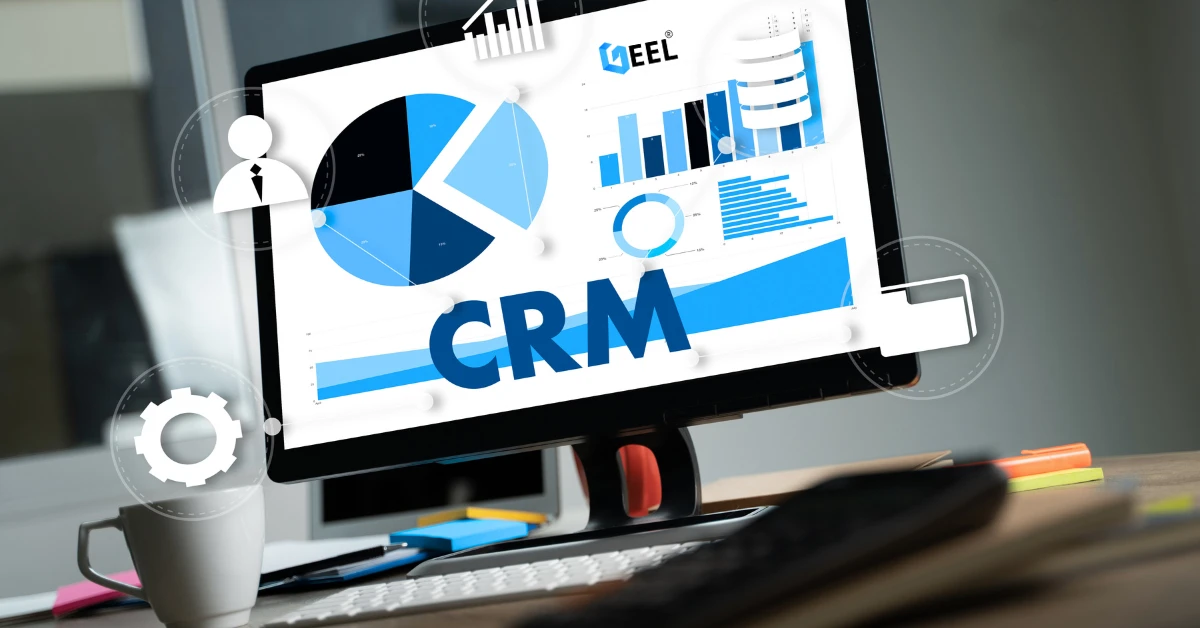

3 Types of Customer Relationship Management Software in Jordan & GCC is a practical guide that explains what CRM is, who it’s for, what it cannot do, and how each CRM type supports sales, marketing, and customer support—so you can choose the right fit and implement it successfully.
What is Customer Relationship Management (CRM) software?
Customer Relationship Management (CRM) software is a system that helps businesses manage interactions with current and potential customers. The goal is simple: strengthen relationships, improve customer experience, and grow revenue.
A CRM typically records and organizes customer touchpoints such as:
-
Sales calls, meetings, and follow-ups
-
Customer support requests and resolutions
-
Marketing campaigns, emails, and lead sources
-
Quotes, proposals, and deal stages
Modern CRMs can also unify customer data from multiple channels and automate routine tasks. Many platforms include analytics and AI features to forecast outcomes, prioritize leads, and personalize communication across the customer lifecycle.
Who is CRM software for?
CRM is commonly associated with sales, but it’s now useful across multiple departments, including:
-
Sales teams managing leads, pipelines, and forecasting
-
Marketing teams segmenting audiences and tracking campaign performance
-
Customer support teams handling tickets with full customer history
-
E-commerce teams tracking customer journeys and repeat purchases
At its best, CRM helps every customer-facing employee act with context instead of starting from zero.
What CRM software cannot do
CRM is not designed to run back-office operations such as:
-
Production and warehousing management
-
Shipping execution and fleet operations (unless integrated with specialized tools)
-
Engineering workflows
-
Full accounting ledger and finance processes (unless integrated)
A CRM also won’t help if key activity happens outside the system. When teams keep leads in spreadsheets, handle sales steps off-platform, or split support across scattered channels, reporting becomes inaccurate and automation breaks down.
The 3 main types of CRM software (Jordan & GCC)
Most CRM solutions fall into three primary categories. Many businesses use a blend, but understanding the core types helps you choose correctly.
1) Operational CRM
Operational CRM focuses on day-to-day execution across marketing, sales, and support. Its purpose is to streamline processes and reduce manual work.
Typical capabilities
-
Lead capture and lead qualification
-
Pipeline management and deal tracking
-
Task automation (follow-ups, reminders, routing)
-
Customer support ticketing and customer history
-
Sales activity tracking and team performance
Best for
-
Companies missing follow-ups or losing leads across channels
-
Teams that want consistent sales stages and repeatable workflows
-
Support teams that need faster resolution with full customer context
2) Analytical CRM
Analytical CRM is built around data and decision-making. It turns customer interaction data into insights.
Typical capabilities
-
Customer segmentation (behavior, value, industry, etc.)
-
Sales reporting and funnel analysis
-
Campaign performance and attribution
-
Forecasting and trend analysis (revenue, pipeline health)
-
Retention analytics and churn indicators
Best for
-
Businesses with enough interactions to generate meaningful patterns
-
Companies that need better forecasting and smarter marketing decisions
-
Management teams that rely on dashboards and KPIs
3) Collaborative CRM
Collaborative CRM improves communication between internal teams (and sometimes external partners). It keeps customer information flowing across departments so the customer experience stays consistent.
Typical capabilities
-
Shared customer profiles across departments
-
Notes, tasks, and handover workflows
-
Multi-channel history (calls, email, chat, meetings)
-
Internal notifications linked to customer records
Best for
-
Organizations where multiple teams touch the same customer
-
Companies losing context between sales, operations, and support
-
Businesses that need clean handovers and accountability
How to choose the right CRM type for your business
Use these practical guidelines:
-
Choose Operational CRM if your biggest issue is execution (missed follow-ups, scattered leads, slow support).
-
Choose Analytical CRM if you need insights (forecasting, performance analysis, campaign attribution).
-
Choose Collaborative CRM if alignment is the challenge (handoffs, shared context, unified customer view).
Many teams in Jordan and the GCC start with Operational CRM, then add analytics and collaboration as they scale.
CRM features that matter in real life
When evaluating any CRM, these are usually the highest-impact features:
-
Role-based permissions and data security
-
Mobile-friendly access for sales and field teams
-
Automation rules and workflow builders
-
Integrations (email, WhatsApp, website forms, accounting, ERP)
-
Reporting dashboards and customizable KPIs
-
Data import, cleanup, and deduplication tools
Implementation checklist (so CRM actually gets used)
Step 1: Define your process before setup
-
Define lead sources, sales stages, and support workflows
-
Agree on “what counts as a lead” and “what counts as a qualified lead”
-
Decide ownership: who updates what, and when
Step 2: Clean and migrate your data
-
Import contacts and companies
-
Deduplicate records
-
Standardize fields (phone format, city, industry, etc.)
Step 3: Set permissions and roles
-
Sales: deals, activities, pipeline
-
Marketing: campaigns, segmentation
-
Support: tickets, customer history
-
Admin: configurations, users, integrations
Step 4: Build only essential automation first
-
Lead assignment rules
-
Follow-up reminders
-
Ticket routing rules
-
Simple SLA triggers (optional)
Step 5: Create dashboards people will actually check
-
Pipeline health
-
New leads vs contacted
-
Conversion by stage
-
Support response time and resolution trends
Step 6: Train teams on daily usage (not features)
-
What to do every day in the CRM
-
How to log calls/notes properly
-
How to move deals through stages consistently
Step 7: Make lead capture automatic
-
Website forms → CRM
-
WhatsApp/email → CRM (via integration/connector where possible)
-
Support channels → ticketing inside CRM
Common CRM mistakes (and how to avoid them)
Treating CRM as “a database”
Fix: design it as a workflow tool with stages, tasks, and accountability.
Overcomplicating setup from day one
Fix: start with the essentials, then expand after adoption stabilizes.
No single owner for CRM data quality
Fix: assign a CRM owner responsible for hygiene, fields, and reporting consistency.
Running sales/support outside the CRM
Fix: automate capture and enforce one source of truth for reporting.
Ignoring integrations
Fix: connect the systems your team already uses (email, WhatsApp, website, accounting/ERP).
FAQ
Is CRM only for sales teams?
No. CRM supports sales, marketing, customer support, and any team that interacts with customers.
Can CRM replace ERP?
Not usually. CRM is customer-facing, while ERP typically manages back-office operations. Many businesses benefit from integration or a unified ERP/CRM model.
Which CRM type is best for small and medium businesses in Jordan & GCC?
Most SMBs start with Operational CRM to organize leads and follow-ups, then add analytics features as they scale.
Do businesses always need a custom CRM?
Not always. If your workflow is standard, an off-the-shelf CRM may be enough. If processes are unique or you need deep integrations, a tailored CRM/ERP approach can be more efficient long-term.
Conclusion
CRM software can transform how businesses manage relationships, improve service quality, and grow revenue—when it matches your workflow and your team uses it consistently. Start by selecting the right CRM type, implement the basics cleanly, and scale analytics and collaboration as your customer interactions grow.
Explore our services: Mobile App Development • Website Design & Development • Custom Software Development